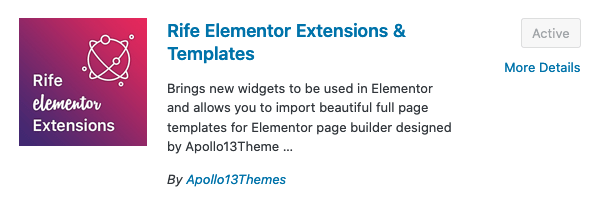
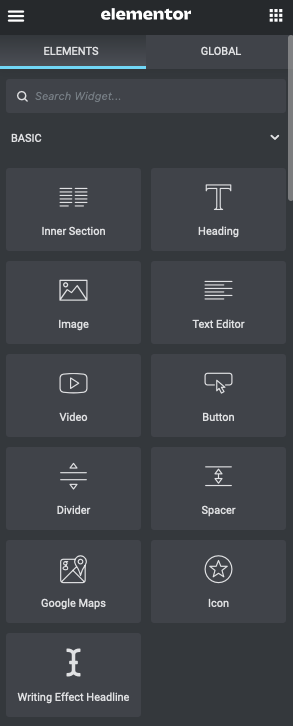
These effects look impressive, yet they are easy to create! Assuming you know your way around using WordPress and Elementor and installing and using new WordPress plugins of course. From the Dashboard in WordPress, you go to Plugins and at the top, you can select Add New. There are several different plugins that offer Writing Effects. Many of them are part of paid pro-versions of plugins, and the free versions tend to have very few options to customize the typography and writing effect options. Rife Elementor Extensions & Templates is a great free Writing Effect plugin. You don’t need to have a Rife theme installed for the plugin to work. After installation and activation, the Writing Effect Headline appears under the basic Elementor Elements and can be dragged to the desired location on the page.
Choosing Writing Effect text-elements
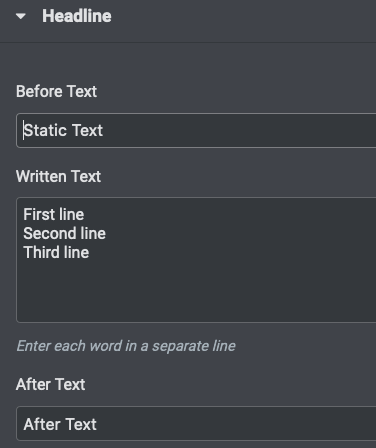
Once the Writing Effect Headline has been added, you can enter text in three separate areas. The first line is for the Static Text that is already appearing on page load. Then multiple lines can be entered in the Written Text area. These lines will alternate. The last line is for the optional After Text that follows the (alternating) written text lines. Note: Not all these lines need to be filled. When left empty, they simply don’t show up on the page.
Static Text First line
Second line
Third lineAfter Text
Discovering visual options
With the default settings, the effect isn’t the most appealing. But you can tweak the Writing Effect Headline any way you like to create surprising and visually attractive webpage elements:
leave the After Text empty and align left to make sure only the Written Text is moving:
Static Text First line.
Second line.
Third line.
create two separate Headers, one with only Static Text and one with only Written Text:
Static Text:
First line.
Second line.
Third line.
slow down the writing speed to 220 for an eye-catching and dramatic effect:
This is the First line.
What about the Second line.
Never forget theThird line.
mix up the typography so that the Written Text is highlighted more:
Static Text First line.
Second line.
Third line.
add a motion effect (advanced options) to the Headline to make it more eye-catching:
(refresh this page to see the effect on page load)
Static Text
First line.
Second line.
Third line.
create out of the box!
WHAT
HOW
WHY
ON EARTH
THE F***
SHOULD
WOULD
COULD
I
YOU
WE
DESIGN?
CREATE?
IMAGINE?
With this tool, it’s wise to check the final result on several different screen sizes and see if it appears correct. Sometimes on smaller screens, the written text can jump to the next line and this will push the content below the written text up and down in a loop. A workaround to prevent this is to assign a separate line for each part of the text that will fit on a mobile screen. Another option is to make an adjustment in the advanced settings and choose responsive → hide on mobile. With these settings, the Writing Effect Headline will not appear on mobile devices. Hopefully, this Digital Creativity Snippet has inspired you to implement this easy and attractive tool in your WordPress creations!
This website uses cookies to improve your experience while you navigate through the website. Out of these cookies, the cookies that are categorized as necessary are stored on your browser as they are essential for the working of basic functionalities of the website. We also use third-party cookies that help us analyze and understand how you use this website. These cookies will be stored in your browser only with your consent. You also have the option to opt-out of these cookies. But opting out of some of these cookies may have an effect on your browsing experience.
Necessary cookies are absolutely essential for the website to function properly. This category only includes cookies that ensures basic functionalities and security features of the website. These cookies do not store any personal information.
Any cookies that may not be particularly necessary for the website to function and is used specifically to collect user personal data via analytics, ads, other embedded contents are termed as non-necessary cookies. It is mandatory to procure user consent prior to running these cookies on your website.